Time-limited trial. This build works until October 1, 2026 — 8 days left. After that it stops loading in MetaTrader. Nothing is installed on your computer beyond the file itself.
Rhino Drawing Tools MT5 — 7-day trial
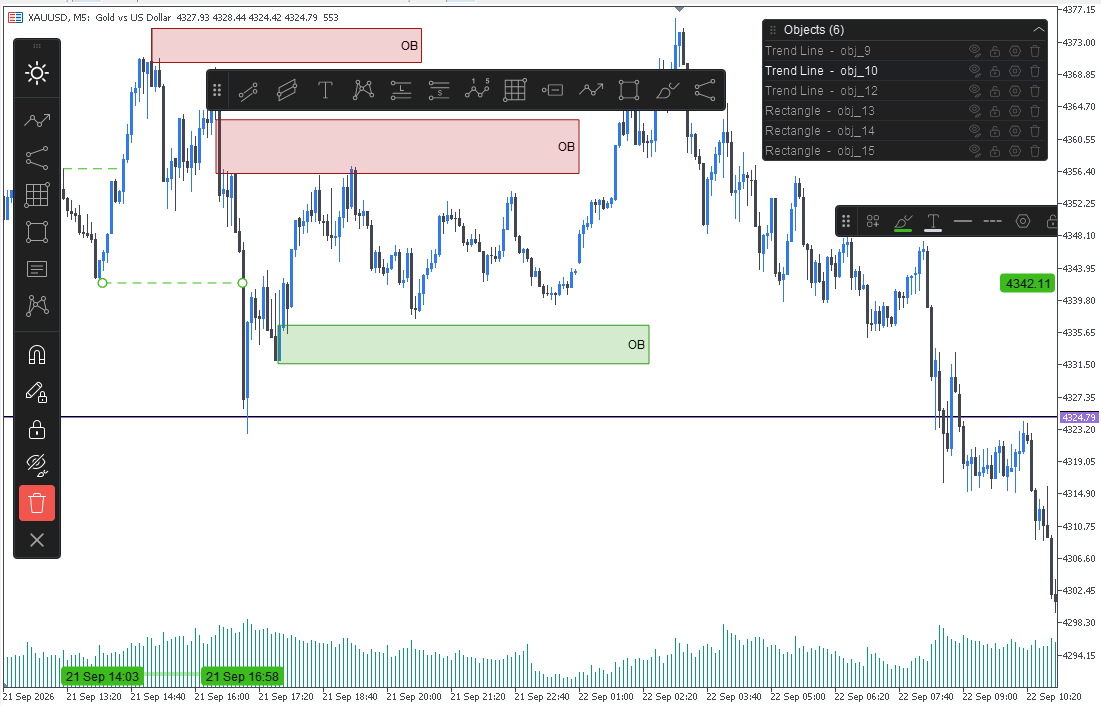
A time-limited trial of Rhino Drawing Tools for MetaTrader 5: all 54 TradingView-style drawing tools unlocked, running on a live chart rather than only in the Strategy Tester.
A full-featured trial of Rhino Drawing Tools for MetaTrader 5. Everything in the paid version is unlocked — all 54 drawing tools, the toolbar, favorites, quick styling, templates and the object manager — for a limited time.
Unlike the MQL5 Market demo, this build runs on a live or demo chart, not only in the Strategy Tester. That is the point: a drawing tool is useless in the Strategy Tester, and you cannot judge it there.
What you get
- All 54 drawing tools, in 9 groups
- The toolbar, Favorites strip and quick styling bar
- Object settings, templates and the object manager
- Light and dark themes
- No feature is disabled or watermarked
Install it
- Download the file below
- In MetaTrader 5, open File → Open Data Folder
- Go to MQL5 → Indicators
- Copy the file into that folder
- Back in MetaTrader 5, right-click Indicators in the Navigator and choose Refresh
- Drag Rhino Drawing Tools onto any chart
If the panel looks misaligned, install the fonts supplied with the download and restart MetaTrader 5.
When the trial ends
The build simply stops loading. Nothing is left behind on your computer, no registration is required, and no data is collected. Remove the file from the Indicators folder whenever you like.
Questions
Found a bug, or something behaves differently from the description? Tell me through the contact page — trial feedback is the most useful kind I get.
Download
Trial finished?See the full version.
Compare the SHA-256 checksum to make sure the file was not changed.